 Aquanode Docs
What a setup is
A setup is your disk, your image, and everything you installed. The GPU is rented. The setup is yours.
A setup is a GPU box you build once and keep. Your disk, your image, everything you installed. Run it on any provider, pause it, and resume right where you left off.
The machine underneath is rented. The setup is not. That split is the whole product:
- The machine is a GPU card at a provider, billed by the second, only while it runs. It is disposable. When you stop paying for it, it goes away.
- The setup is what you built on that machine. It survives the machine, and it can come back on a different card, at a different provider, in a different country.
You never create a setup separately
The setup exists from the first launch. There is no second step, no "convert this box into a template" action. You launch, you work, and the thing you built is already a setup.
What a setup carries
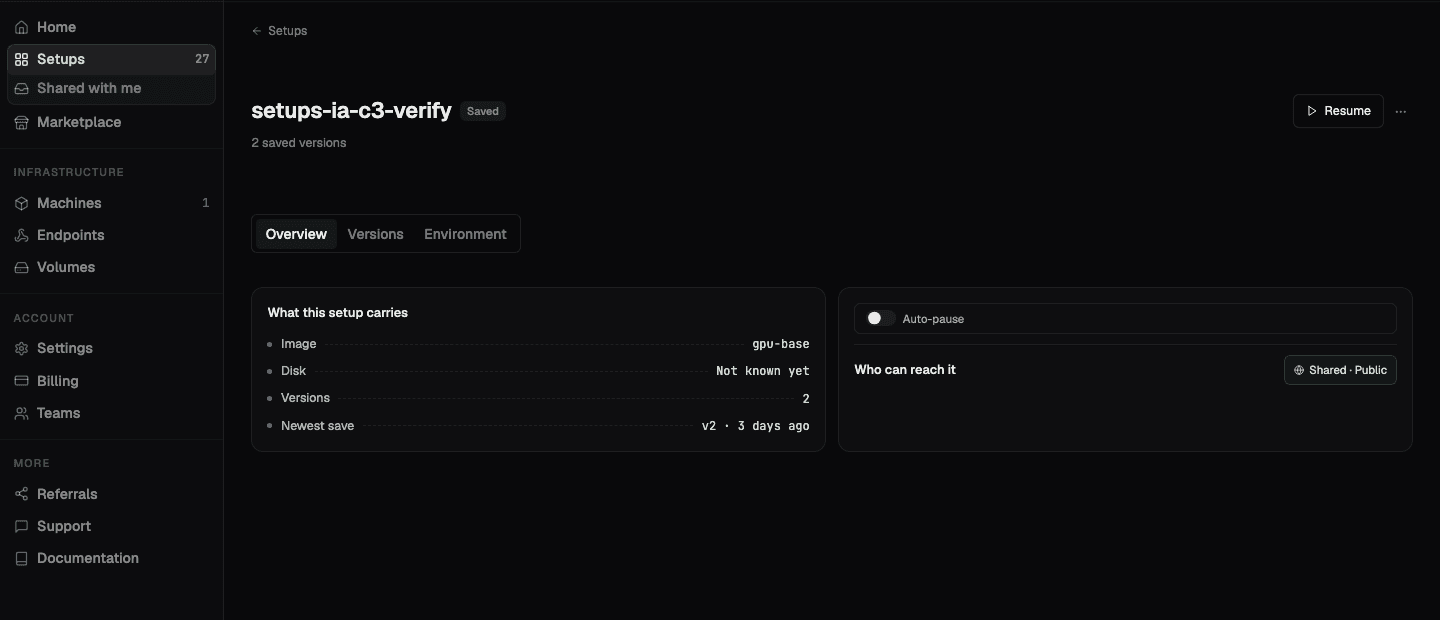
Open any setup in the console and the Overview tab lists exactly what it holds:
| Field | What it means |
|---|---|
| Image | The base image the box boots from |
| Disk | How much data the setup is holding |
| Versions | How many saves are in its lineage |
| Newest save | When the most recent version was taken |
The Environment tab goes further and shows what travels with the setup when it moves
to a new machine: the mount path (/workspace by default), the base image, and the
startup script that rebuilds the environment on a new box.
The states a setup can be in
| State | What is true |
|---|---|
| Running | A machine is rented and billing by the second. You can connect to it. |
| Paused | No machine is rented. Nothing is billing hourly. Your saved data is held. |
| Saved | The setup has at least one version and no machine attached. |
| Needs you | Something is waiting on a decision from you. |
The Setups list filters on these, so you can see at a glance what is costing money right now and what is just sitting there.
What it costs to keep one
A paused setup rents no machine, so the hourly charge stops entirely. Syncing while you work is free. You pay only to hold what the setup saved, billed at $0.02/GiB per month.
That is the reason pausing is the default answer to "I am done for today" rather than tearing the box down and rebuilding tomorrow.
Where to go next
Launch a setup
Starting points, picking a machine, and what happens if that card disappears
Save and resume versions
How a version lineage works and what resuming one actually restores
Pause and resume
Auto-pause thresholds, manual pause, and coming back on a different card
Do it from the terminal
The aq CLI drives the same setups, with 28 commands