 Aquanode Docs
Minio Setup
A guide to setup minio server on your infra, Minio is self-host S3 service.
Setup
Install
Binary installation
- You need go 1.24 in the environemtn Now run
go install github.com/minio/minio@latest- Check proper installation done or not via
minio -v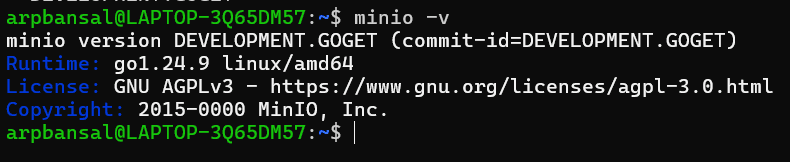
Install mc
wget https://dl.min.io/client/mc/release/linux-amd64/mc -O ~/mc chmod +x ~/mc sudo mv ~/mc /usr/local/bin/
Root user name (access key) and root password (secret key) are expected to be specified via environment variable
export MINIO_ROOT_PASSWORD=4654dsf7
export MINIO_ROOT_USER=backup-bucket
REGION
Default region unless you explicitly set MINIO_REGION_NAME when running the server. us-east-1
ENDPOINT
That’s your S3-compatible endpoint — equivalent to https://s3.amazonaws.com for AWS.
Bucket setup using 'mc'
mc alias set local http://localhost:9000 backup-bucket 4654dsf7
Added `local` successfully.
Verify Connection
mc admin info local● localhost:9000 Uptime: 7 minutes Version: <development> Network: 1/1 OK Drives: 1/1 OK Pool: 1
┌──────┬────────────────────────┬─────────────────────┬──────────────┐ │ Pool │ Drives Usage │ Erasure stripe size │ Erasure sets │ │ 1st │ 16.7% (total: 956 GiB) │ 1 │ 1 │ └──────┴────────────────────────┴─────────────────────┴──────────────┘
1 drive online, 0 drives offline, EC:0
mc mb local/mybucket
mc ls local
Bucket created successfully local/mybucket.
[2025-11-01 19:40:17 IST] 0B mybucket/
You will host the bucket on a exposed bucket, localhost:9000 won't be your endpoint