 Aquanode Docs
Backups & Migrations
Creating Backups
Save your VM data with automated or manual snapshots.
Backups let you save the state of your VM's data at any point. Aquanode handles storage automatically - no external storage setup needed.
Snapshots
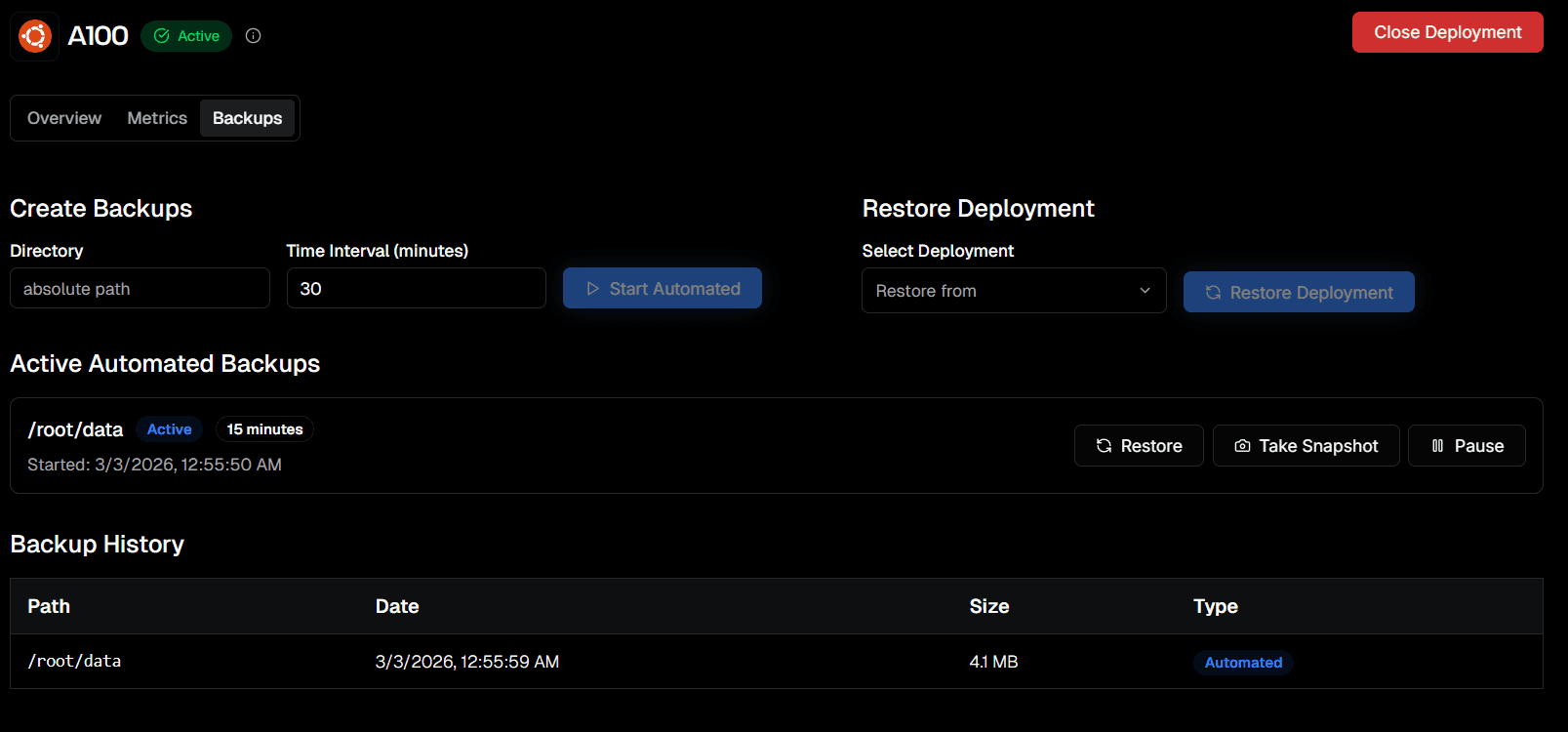
- Enter the absolute path of the directory you want to save and a time interval (in minutes).
- Click Start Automated to enable recurring snapshots.
- Once active, it appears under Active Automated Backups with its status and interval.
- You can also click Take Snapshot at any time to capture the current state immediately.
Recommendation: Always take a manual snapshot before shutting down an instance.
Backup History
The Backup History table below the active backups shows every snapshot taken - including the path, date, size, and whether it was Automated or Manual.
Both automated and manual snapshots are incremental - efficient in speed and storage usage.