 Aquanode Docs
Teams
Collaborate on Aquanode. Create teams, invite members with a shareable link, and manage roles so your whole team can share deployments and balance.
Teams let you collaborate on Aquanode. Deployments, volumes, and balance are scoped to a team, so everyone in the same team sees and manages the same resources. SSH keys are scoped to you personally by default, but you can share an individual key with your team so teammates can deploy with it too.
What you can do
- Create one or more teams
- Invite members with a shareable invite link
- Assign roles - owner, admin, or member
- Switch your active team
- Remove members or leave a team
Most things are scoped to your active team
The team selected in the top bar is your active team. Deployments you create and balance you spend all belong to that team. Switch teams from the team switcher to act in a different team. SSH keys stay with your account no matter which team is active, unless you explicitly share one with your team.
Create a team and invite members
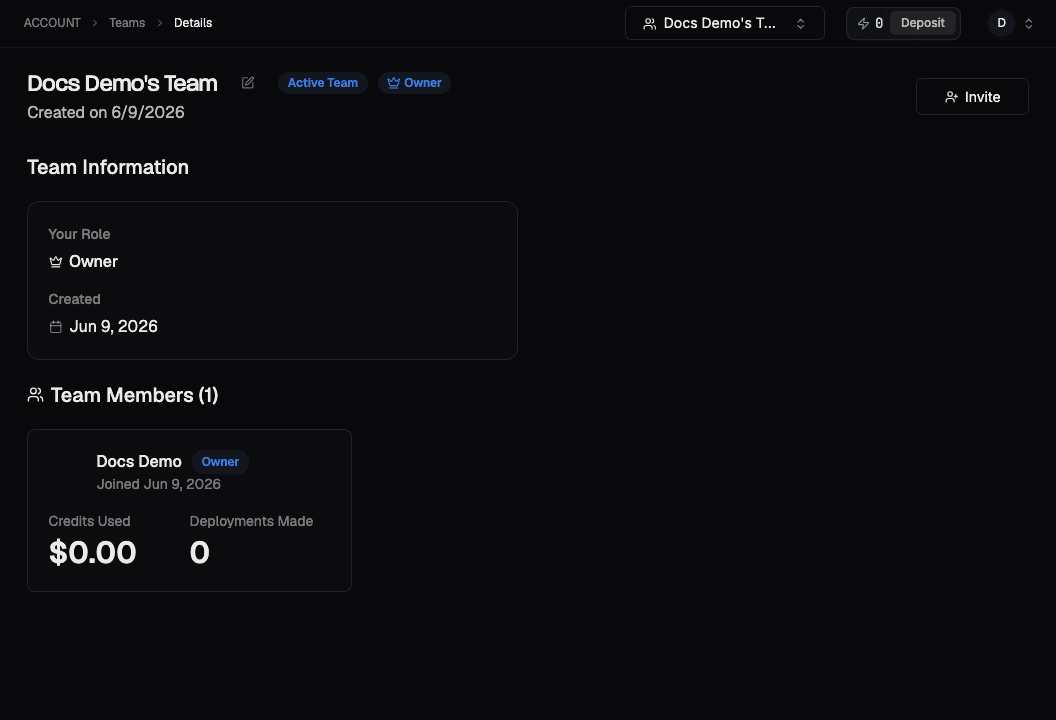
Invite members
- Open the team, then click Invite
- Click Copy Invite Link
- Share the link with the people you want to add
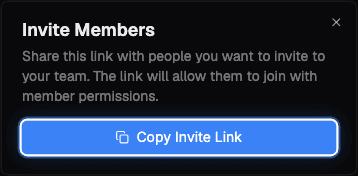
When they open the link while signed in to Aquanode, they're added to the team with member permissions automatically.
Manage roles and membership
As an owner or admin you can:
- Change a member's role between admin and member
- Remove a member from the team
Roles:
| Role | Can do |
|---|---|
| Owner | Full control, including managing admins. Each team has a primary owner. |
| Admin | Manage members and team resources. |
| Member | Use the team's resources (deploy, manage machines). |
Leaving a team
From the team page you can leave a team you're a member of. Your own resources in other teams are unaffected - only your membership in that team is removed.