 Aquanode Docs
Storage & Snapshots
Snapshots allow you to back up and restore your VM environments quickly and reliably.
VM Deployment Template
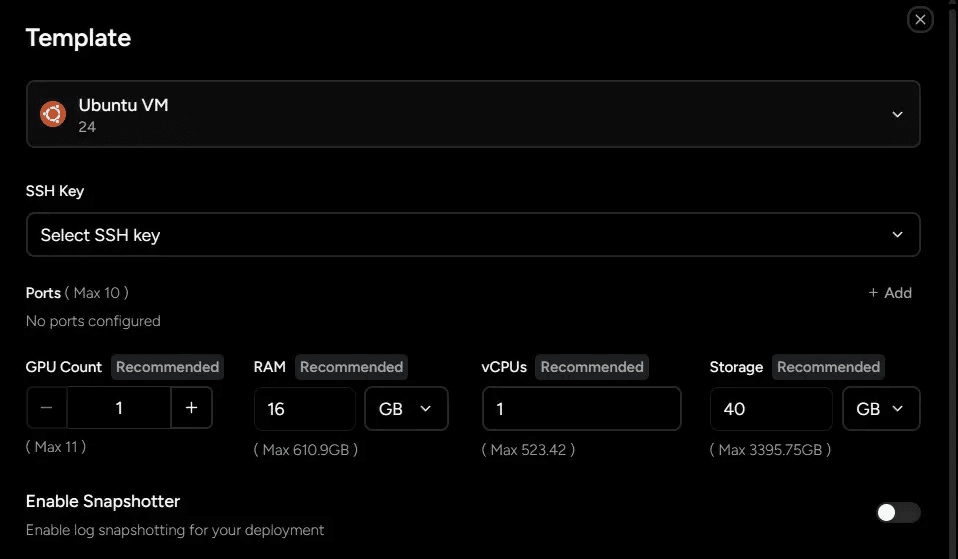
When deploying a VM, you can either select an existing configuration or add a new one.
Add Storage Configuration
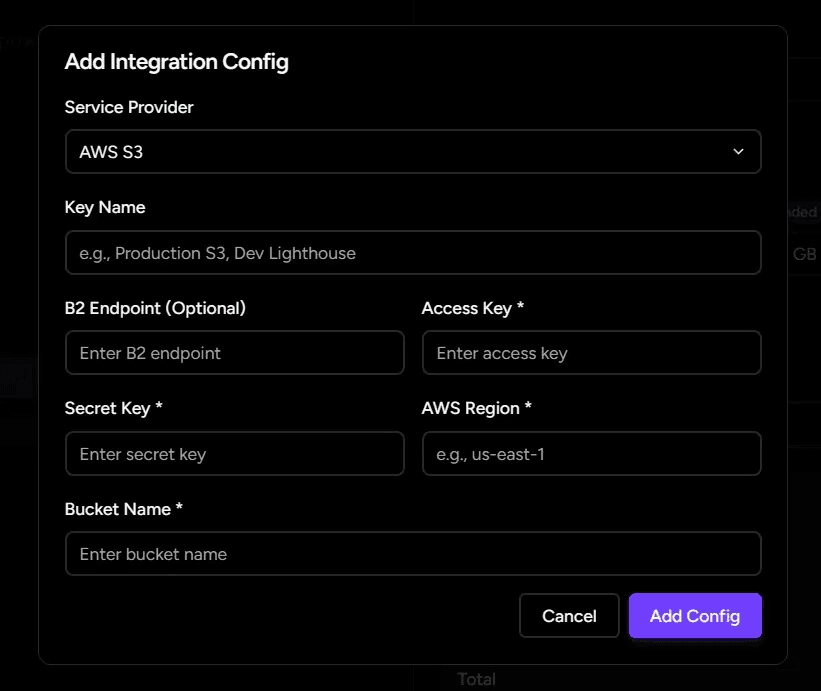
You can configure your storage credentials during deployment or by navigating to Settings → Storage Configurations.
Important: Ensure your configuration is correct before proceeding. Incorrect credentials may prevent backups or restores.
Create Backups
If you have made progress in your workspace or want to preserve a known state, you can create backups.
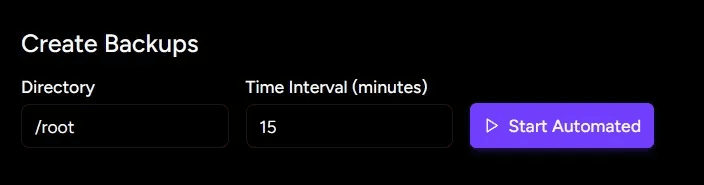
Automated Snapshots
- Enter the absolute path of the directory you want to back up.
- Click Start Automated to enable recurring snapshots.
Manual Snapshots
Once automated snapshots are enabled, you can also take a manual snapshot at any time:
- Click Take Snapshot.
- A snapshot of the current state will be saved immediately.

Recommendation: Always take a manual snapshot before shutting down an instance.
Backup History
You can view the history of ongoing backups for each deployment:
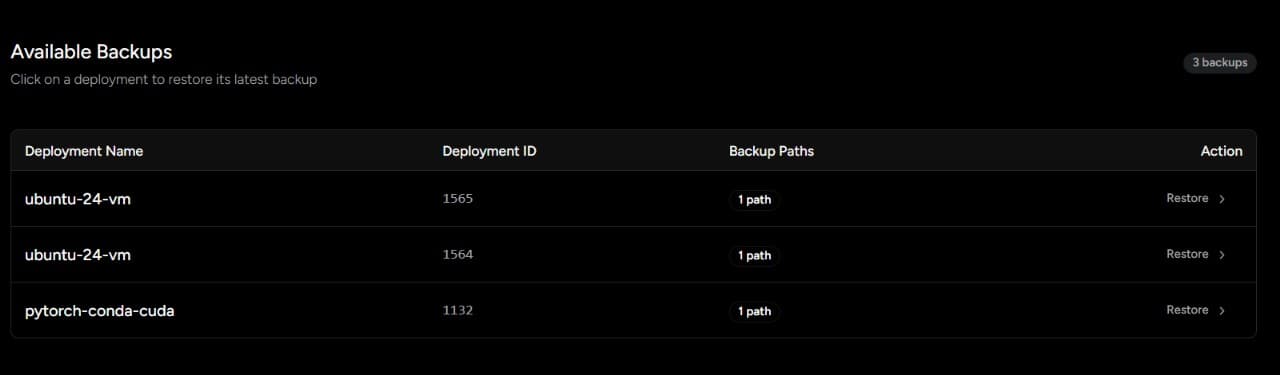
Both automated and manual snapshots are incremental, which makes them efficient in terms of speed and storage usage.
Restore Backups
You can restore a VM to a previous state using any saved backup.
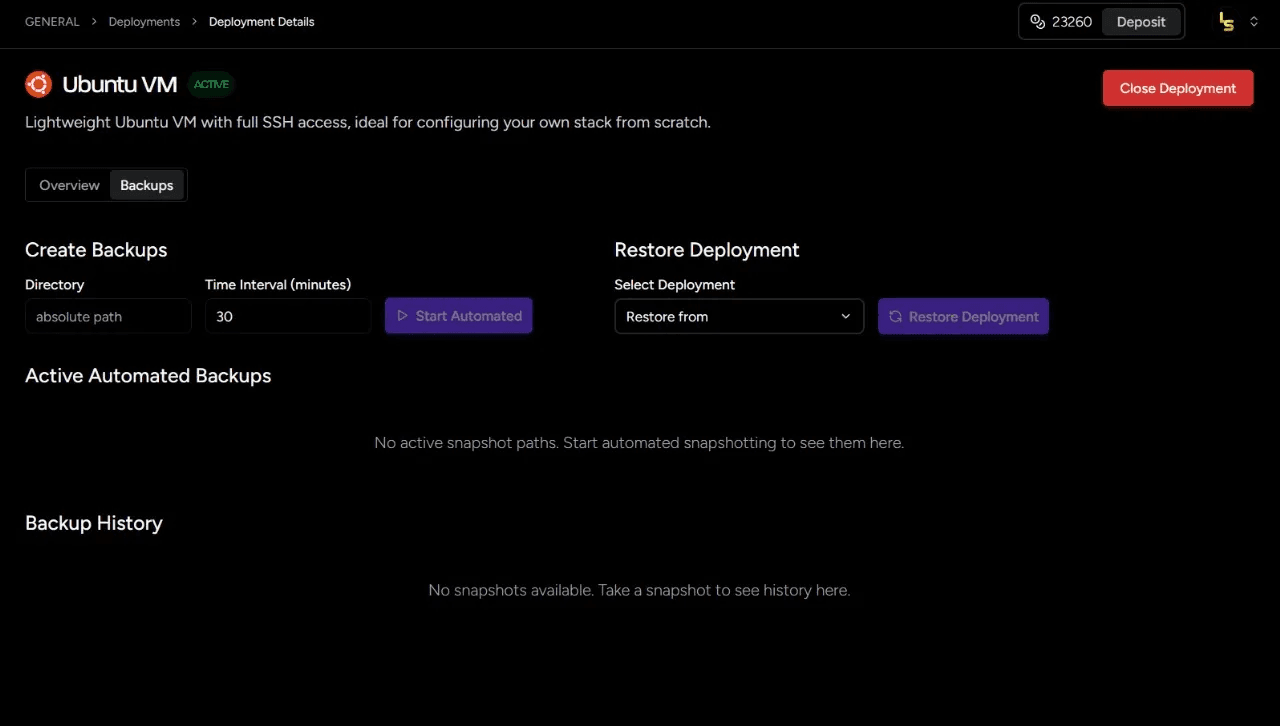
Select a Backup
Choose the snapshot you want to restore:
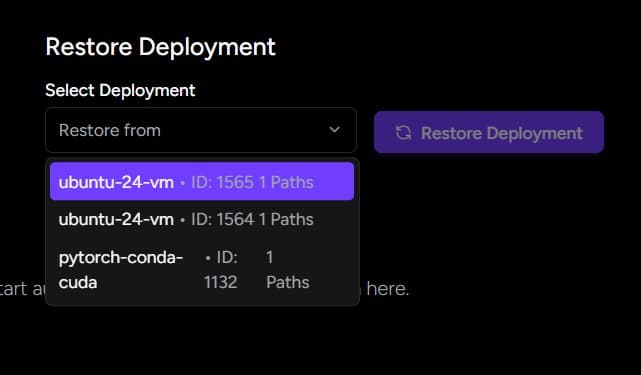
Restored VM
Once the restore process completes, your VM will be reverted to the chosen state:
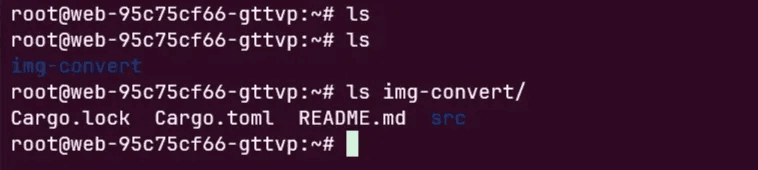
Success
Your environment has been restored successfully. 🎉
You are ready to continue working from your chosen snapshot.